
Description
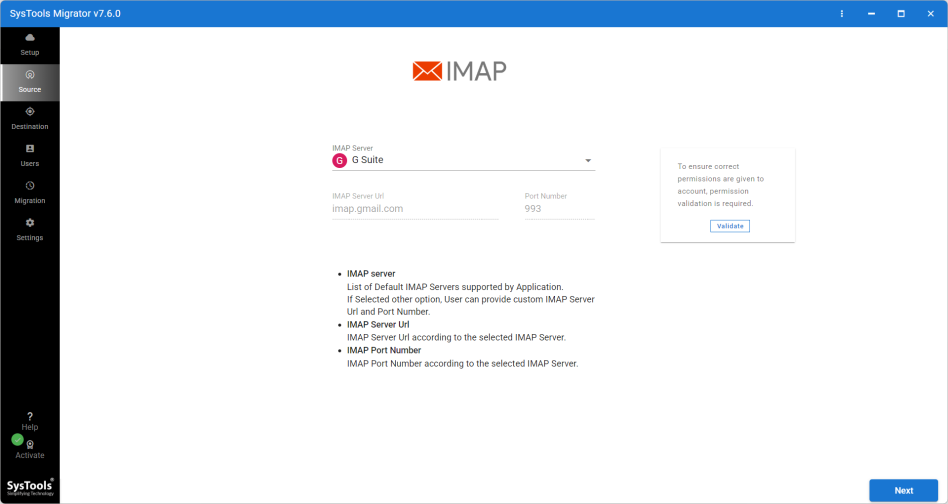
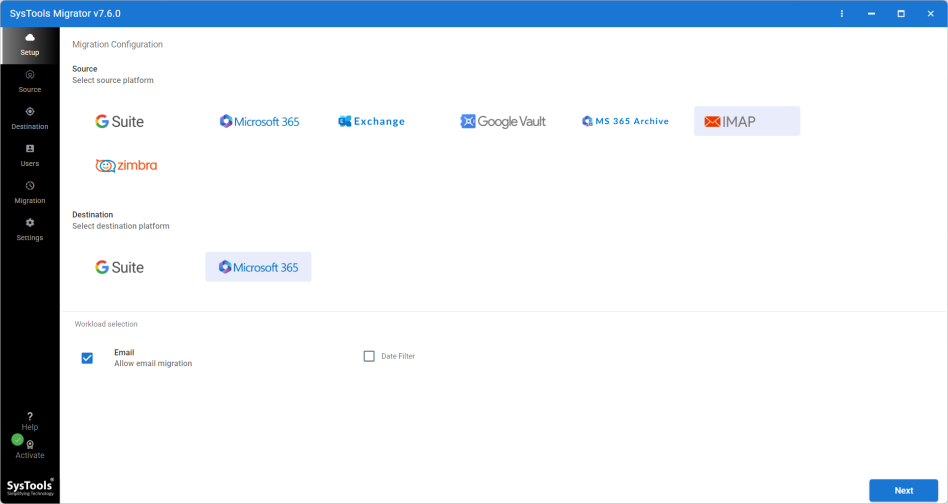
Email Migration is the definitive utility for professionals and organizations moving from standard email providers to enterprise-grade cloud environments. Designed exclusively for Windows, this software simplifies the complex process of transferring data from any IMAP-enabled server directly to Office 365 or G Suite (Google Workspace).
Whether you are migrating a single professional account or performing a bulk transfer for an entire organization, Email Migrator ensures your data arrives at its destination securely, accurately, and without business disruption.
🚀 Key Features
IMAP to Enterprise Cloud:
To Office 365: Migrates emails directly from any IMAP source (Gmail, Yahoo, Zoho, etc.) to Office 365 Primary, Archive, or Shared mailboxes.
To G Suite: seamlessly transfers email data from IMAP servers to Google Workspace user accounts.
Delta Migration (Incremental Sync):
Email Migration features a smart "Delta" mode. If you need to run the migration again, the tool scans the source and destination, identifying and transferring only the new emails received since the last cycle. This prevents duplicates and saves significant time.
Concurrent Migration:
Maximize your throughput by migrating multiple user accounts simultaneously. Email Migrator allows you to set concurrency levels to optimize bandwidth usage and reduce total migration time.
Bulk User Mapping:
Perfect for administrators. You can create a simple CSV file mapping source IMAP accounts to destination Office 365 or G Suite IDs, allowing Email Migration to process hundreds of users in a continuous batch.
Precision Filtering:
Date Filter: Select specific date ranges to migrate only relevant data (e.g., current fiscal year).
Folder Selection: Choose specific folders to include or exclude to keep the destination mailbox clean.
🛡️ Data Integrity & Reliability
Retry Failed Items: In the event of network interruptions, Email Migrator allows you to retry only the specific items that failed to transfer, rather than restarting the entire job.
Maintains Folder Hierarchy: The tool ensures that the folder structure (Inbox, Sent, Drafts, and custom labels) on the source IMAP server is replicated exactly in the destination cloud account.
Preserves Metadata: All email properties—including Read/Unread status, Subject, Attachments, and Timestamps—remain intact.
Status Reporting: Generates detailed export reports (Success and Failure counts) for administrative verification and sign-off.
💻 Technical Specifications
Software Name: Email Migrator
Operating System: Windows 11, 10, 8.1, 8 (64-bit) & Windows Server 2012 / 2016 / 2019.
Source Support: Any IMAP-enabled email server.
Destination Support: Microsoft Office 365 & Google Workspace (G Suite).
Quick Details
Reviews
To write a review, you must login first.
From the Same Seller
SysTools YAML Converter Tool
SysTools Excel to vCard Converter
SysTools Access Password Recovery

SysTools JSON Converter