

Description
A mobile app can have an excellent design and a strong business idea, but users will quickly notice when it feels slow, unresponsive, or disconnected from the device they are using. Today, mobile users expect apps to respond quickly, work reliably, protect their information, and make full use of the capabilities of their smartphones.
This is where native app development becomes an important approach.
Rather than creating one application that behaves identically across different platforms, native development focuses on building an app specifically for Android or iOS. This gives developers closer access to the operating system, device capabilities, and platform-specific development tools.
But native development is not simply about performance. The bigger question is when does a native approach make sense for a mobile product?
What Makes Native App Development Different?
Native app development means creating an application specifically for a particular mobile platform.
For Android, developers commonly use Kotlin and Android's development tools. For Apple's platforms, Swift and Apple's development environment are widely used. Android officially describes Kotlin as a supported language for Android development, while Apple provides Swift and SwiftUI as core technologies for building applications across its platforms.
The important difference is that the application is designed around the capabilities and conventions of its target operating system.
This can provide greater control over:
Application performance
User interface behavior
Device hardware
Security features
Background processes
Notifications
Sensors
Camera functionality
Location services
Platform-specific APIs
Why Are Users Paying More Attention to App Performance?
Users generally do not think about the programming language behind an application. They notice the experience.
If an app takes too long to open, freezes during an important action, or responds slowly to touch interactions, the technology behind it becomes irrelevant to the user.
For applications where performance is particularly important, native development allows developers to work closely with platform-specific APIs and resources.
This can be valuable for applications involving complex animations, advanced graphics, real-time communication, camera processing, location services, or connected devices.
However, native development does not automatically make an app fast. Application architecture, code quality, APIs, backend performance, database design, image handling, and testing all contribute to the final experience.
Native vs. Cross-Platform: The Real Question
One of the most common decisions in mobile app development is whether to choose native or cross-platform development.
Cross-platform technologies can allow developers to share substantial portions of code between Android and iOS. Native development generally means maintaining platform-specific implementations.
Modern cross-platform approaches have become capable of handling many business applications effectively. Kotlin's own documentation, for example, describes Kotlin Multiplatform as an option for sharing code across platforms while still supporting platform-specific development.
So the decision should not be based on the assumption that one approach is always better.
Instead, developers need to ask:
What does the application actually need to do?
A content-based application with standard forms and notifications may have different requirements from a gaming application, wearable-connected application, AR experience, or real-time communication platform.
When Does Native Development Make Sense?
Native development can be particularly relevant when an application needs deep integration with a device or operating system.
For example, consider an application that uses:
Camera and image processing: Advanced camera controls or real-time image processing can require close interaction with device APIs.
Wearable devices: Applications communicating with smartwatches or other connected hardware may require platform-specific capabilities.
Location services: Navigation, delivery, travel, and location-based applications can depend heavily on device location functionality.
Advanced graphics: Games, 3D experiences, and visually intensive applications can have demanding performance requirements.
Biometric authentication: Applications can integrate platform-supported authentication mechanisms.
Real-time applications: Video calling, audio processing, collaboration, and other real-time experiences can have specialized performance requirements.
The more an application depends on the operating system itself, the more important the native-versus-cross-platform decision becomes.
How Is AI Changing Native Mobile Apps?
Artificial intelligence is becoming part of many mobile products, but AI integration is not limited to chatbots.
Mobile applications can use AI for:
Intelligent search
Recommendations
Voice interactions
Image recognition
Text processing
Personalization
Predictive features
Content generation
On-device processing
Apple's current developer resources include dedicated areas for machine learning and AI alongside Swift development, while Android's ecosystem also supports modern approaches to intelligent application development.
One important trend is the growing interest in on-device AI. Instead of sending every task to a remote server, some AI operations can be performed directly on a device when the required technology and hardware support it.
This can be useful when responsiveness, offline functionality, or data privacy is important.
Native App Development and User Experience
Native development also has an important connection with mobile UX design.
Android and iOS have different navigation patterns, interface conventions, accessibility expectations, and interaction models.
A platform-specific application can be designed around these differences rather than forcing both platforms into exactly the same interface.
For users, this can make familiar actions feel more natural.
A good mobile UX is not simply about attractive screens. It includes:
Simple navigation
Clear information hierarchy
Fast interactions
Accessible controls
Appropriate feedback
Consistent layouts
Error handling
Smooth transitions
Technology and design therefore need to work together.
What About Native App Development Cost?
Cost is often one of the first questions asked before starting a mobile application.
There is no universal price for native app development because the total effort depends on the application's scope.
Factors that can influence development cost include:
Number of platforms
Number of features
UI/UX complexity
Backend development
API integrations
Payment systems
AI functionality
Third-party services
Security requirements
Testing
Maintenance
If an application is developed separately for Android and iOS, teams need to account for the development and testing requirements of each platform.
This is why businesses should evaluate total product requirements and long-term maintenance, rather than focusing only on the initial development cost.
What Happens After the App Is Launched?
Launching an app is only one stage of the development lifecycle.
Mobile operating systems continue to evolve, devices change, security requirements are updated, and users expect new features.
Native applications therefore require ongoing:
Bug fixing
Security updates
Performance optimization
Compatibility testing
Feature improvements
API updates
Operating-system updates
A good mobile app development strategy considers maintenance before development begins.
For example, a team planning an application through 3FI TECH would need to consider not only the initial features but also the application's expected users, platforms, integrations, scalability, security, and future updates.
Is Native App Development Right for Every App?
No.
That is one of the most important points to understand.
Native development can be useful when platform-specific performance, device access, or user experience is central to the product. Cross-platform development can be practical when the goal is to support multiple platforms with substantial code reuse.
The right choice depends on the product rather than a general claim that one technology is universally superior.
Before development begins, teams should evaluate the application's features, target audience, platform requirements, performance expectations, budget, development resources, and long-term roadmap.
The Future of Native Mobile Application Development
Mobile applications are becoming more connected to AI, wearables, sensors, cloud services, intelligent search, and other digital experiences.
At the same time, development choices are becoming more flexible. Native technologies, cross-platform frameworks, and shared-code approaches can all play a role depending on the product's requirements.
For developers and businesses, the important decision is therefore not simply choosing a popular technology.
It is understanding what the application needs today, what users will expect tomorrow, and which development architecture can support that journey without unnecessary complexity.
Frequently Asked Questions
What is native app development?
Native app development is the process of creating a mobile application specifically for an operating system such as Android or iOS using technologies designed for that platform.
What languages are used for native app development?
Kotlin is widely used for Android development, while Swift is a major language for developing applications on Apple's platforms.
What is the difference between native and cross-platform apps?
Native applications are developed specifically for individual platforms, while cross-platform approaches allow developers to share code across multiple platforms.
Are native apps faster?
Native technologies provide direct access to platform-specific APIs and resources, which can support strong performance. Actual performance still depends on the application's architecture and implementation.
Quick Details
Reviews
To write a review, you must login first.
From the Same Seller
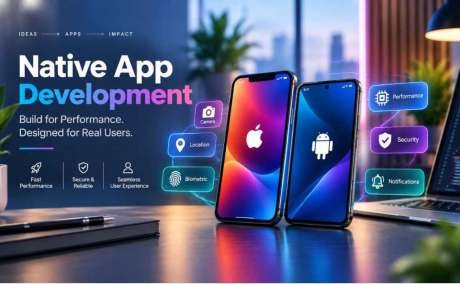
Native App Development: Why Platform-Specific Apps Still Matter

Website Development
Location
Seller Info